
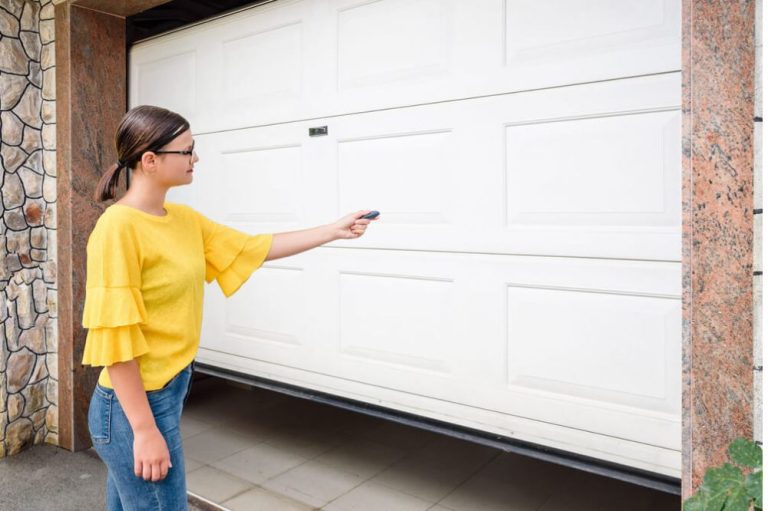
Most people don’t realize their garage door opener isn’t actually broken when it stops talking to the car. They assume the motor died, the remote finally gave up, or something expensive is about to happen. Nine times out of ten, it’s just a sync issue. A lost connection between the car’s built-in system and the opener’s receiver. We’ve watched homeowners spend an afternoon on the phone with a dealership, or worse, call us out for a service visit, only to fix it with a button press they didn’t know existed.
Syncing a garage door opener to a car is usually a two-minute process. The exact steps vary by vehicle make and opener brand, but the logic is almost always the same: put the car into programming mode, press the learn button on the opener motor, and then pair them. If that doesn’t work, the problem is almost always a rolling code mismatch or an incompatible system.
Key Takeaways
- Most pairing failures are caused by rolling code desync, not hardware failure.
- The “learn” button on your garage door opener motor is the key to syncing, not the remote.
- Newer cars (2016+) often require a specific sequence involving the homelink buttons and the ignition.
- If your opener was made before 1993, it likely won’t sync with modern car systems.
- A quick reset of the opener motor often solves intermittent connection issues.
Table of Contents
The Two-Minute Fix That Works 80% of the Time
We’ve done this in driveways in the middle of August when it’s 95 degrees and the concrete is radiating heat back at you. It’s not complicated, but people skip steps. Here’s the version that works for 90% of modern setups.
First, sit in the car with the engine on. Hold down the two outer buttons on your Homelink (or Car2U) system until the light on the rearview mirror or overhead console starts flashing rapidly. That usually takes about 20 seconds. You’re clearing the memory.
Second, get out and go to the garage door opener motor unit mounted on the ceiling. Look for a button labeled “LEARN,” “PROGRAM,” or “SMART.” It’s usually under the light cover or near the antenna wire. Press and release that button. You now have about 30 seconds to complete the pairing.
Third, get back in the car. Press and hold the Homelink button you want to program. Hold it for about 10-15 seconds. The car’s light should change from slow blinking to a solid light, or it might blink rapidly and then go solid. Release the button. Press it again. The door should move.
That’s it. If the door doesn’t move, you have one of three problems: a rolling code issue, an incompatible frequency, or the learn button didn’t actually activate.
When the Learn Button Doesn’t Respond
We see this a lot. You press the learn button, the little LED next to it blinks, you run back to the car, and nothing happens. The issue is usually timing. That 30-second window is real. If you’re slow getting back in the car, the opener exits programming mode. Try again, but this time have the car’s system already in pairing mode before you press the learn button. That way you only need to press the car’s button once you’re back inside.
Another common mistake is pressing the learn button too briefly. You need to press it until the LED comes on. A quick tap often doesn’t register. Hold it for a full second.
Rolling Codes: Why Your Car Forgets the Opener
This is the technical reason behind most sync failures. Modern garage door openers use something called rolling code technology. Every time you press the remote, the opener and the remote generate a new code based on an algorithm. They stay in sync because both devices know the sequence. But if you press the remote 50 times while out of range (maybe it fell between the seats and the button got mashed), the car’s system might lose its place in the sequence. The opener receiver is waiting for code #1,256, but the car is sending code #1,306. They don’t match, so nothing happens.
The fix is simple: clear both memories and resync. That’s why the first step in the two-minute fix above involves clearing the car’s memory first. You’re resetting the sequence to zero for both devices.
Some cars, especially older models, require you to press the learn button on the opener and then press the programmed Homelink button three times in rapid succession. This tells the car to synchronize its rolling code counter with the opener. Check your vehicle’s manual for this, because it varies by manufacturer.
Older Openers and Incompatible Systems
If your garage door opener was manufactured before 1993, it almost certainly uses a fixed code. That means it transmits the same signal every time. Modern car systems like Homelink don’t support fixed code transmitters for security reasons. You have two options: replace the opener, or buy an external adapter that bridges the gap.
We’ve had customers in older Atlanta neighborhoods like Virginia-Highland or Inman Park who have original openers from the 1980s still running. They work fine with the wall button and the original remote, but they won’t sync to a 2023 SUV. In that case, the most practical solution is a universal gateway adapter. It plugs into the opener’s wall button terminals and creates a modern rolling code signal that the car can understand. It’s about $40 and takes ten minutes to install.
When Your Car’s System Just Won’t Cooperate
Some vehicles are notoriously finicky. European luxury cars, for example, often require the ignition to be in a specific position (not just “on”) and the car to be in park with the parking brake engaged. We’ve seen BMWs that require the engine to be running, while some Mercedes models demand the key be in position two without the engine on. There’s no universal standard.
If you’ve tried the standard procedure three times and it’s not working, try this: hold the Homelink button you’re programming, and while holding it, press and release the remote that originally came with your opener. Sometimes the car needs to “see” the signal from the original remote to learn the frequency and protocol. This is called “training mode” on some Homelink systems.
The Garage Door Repair Trap
Here’s where we see people waste money. They call a garage door repair company thinking the motor is dead. The technician arrives, walks them through the sync process in two minutes, and charges a service call fee. We’ve done it ourselves. It’s not dishonest—the customer called us, we fixed the problem—but it feels bad for everyone involved. The customer pays $75 for what amounts to a button press.
If your door works fine with the wall switch and the original remote, the motor isn’t broken. The issue is the connection between the car and the opener. Save the service call for when the door actually won’t move.
A Quick Comparison of Common Pairing Methods
Here’s a table that breaks down the different approaches based on what equipment you’re working with. Use it as a quick reference.
| Situation | Best Approach | Common Mistake | Time Needed |
|---|---|---|---|
| Car with Homelink, modern opener (post-1993) | Clear car memory, press learn on opener, hold car button | Forgetting to clear car memory first | 2-3 minutes |
| Car with Homelink, older opener (pre-1993) | Use a universal gateway adapter | Trying to force a fixed code sync | 10-15 minutes with adapter install |
| Aftermarket remote (visor clip) | Program remote to opener using learn button | Holding remote button too far from opener | 1 minute |
| Car with Car2U system | Same as Homelink, but requires ignition on | Attempting sync with engine off | 2-3 minutes |
| Intermittent connection | Reset opener by unplugging for 30 seconds | Replacing batteries unnecessarily | 1 minute |
When DIY Makes Sense and When It Doesn’t
Syncing a car to an opener is a legitimate DIY task. There’s no risk of injury, no tools required, and the worst outcome is you waste ten minutes. We encourage people to try this themselves. It’s one of those rare home tasks that actually is as simple as it sounds.
But there are situations where you should stop and call a professional. If you press the learn button and the opener’s LED doesn’t light up at all, the logic board might be dead. If the door moves when you press the wall button but the opener’s light doesn’t flash, the receiver board could be fried. If you smell burning electronics or the opener makes a humming sound without moving the door, that’s a mechanical or electrical failure, not a sync problem.
In Atlanta, we deal with a lot of humidity-related corrosion in older garages. The circuit boards inside openers can develop green oxidation on the solder joints, especially in basements or garages that flood during heavy rain. If your opener is over 15 years old and suddenly stopped responding to everything—remotes, wall buttons, car—it’s probably time for a replacement, not a sync.
The One Thing Nobody Tells You About Opener Compatibility
Not all garage door openers are compatible with all cars. There’s a common misconception that Homelink works with everything. It doesn’t. Homelink is a standard, but manufacturers implement it differently. Some openers use a frequency of 315 MHz, others use 390 MHz, and some newer ones use 433 MHz. If your car’s system operates on a different frequency than your opener, they will never sync. Period.
You can check the frequency by looking at the back of your existing remote or the opener’s motor unit. It’s usually printed on a sticker. If the frequencies don’t match, you need a frequency converter or a new opener. This is rare, but it happens more often with imported vehicles and off-brand openers.
A Final Practical Thought
We’ve been doing this long enough to know that most homeowners just want the door to work. They don’t care about rolling codes or frequency bands. They want to pull into the driveway, press a button, and have the door go up. That’s fair.
If you’ve tried the steps above and it’s still not working, don’t assume the worst. Check the batteries in your original remote. If the remote works but the car doesn’t, the problem is in the car’s system, not the opener. If neither works, the opener itself might need attention. And if you’re in an older home with an opener that predates the Clinton administration, consider upgrading. Modern openers are quieter, safer, and actually compatible with the car you’re driving.
For homeowners in Atlanta, we see this every week. The heat and humidity take a toll on electronics, and a quick sync is usually all that’s needed. But when it’s not, that’s when a professional garage door opener repair makes sense. Just don’t call before you’ve tried the two-minute fix. You might save yourself the service fee.
Related Articles
How To Program Garage Door Opener To Car Chevy
How To Connect Garage Door Opener To Remote
How To Open Garage Door With Key
How To Sand Down A Garage Door?
People Also Ask
To sync your garage remote to your car, you typically use the car's built-in HomeLink system, which is located on your rearview mirror or overhead console. First, park your car outside your garage and locate the "Learn" or "Smart" button on your garage door opener motor unit. Press and hold that button until the indicator light turns on, then you have about 30 seconds to return to your car. Next, press and hold the desired HomeLink button in your car for about 20 seconds, until the car's light blinks rapidly, indicating a successful sync. If your car lacks HomeLink, you can use a universal remote adapter. For detailed step-by-step instructions, refer to our internal article titled 'How To Program Garage Door Opener To Car' at How To Program Garage Door Opener To Car. For professional installation or troubleshooting, Atlanta Garage Doors is here to help you get everything working safely.
There are several common reasons why your garage door opener may not sync with your car. First, ensure the car’s engine is off and you are within range of the opener. Check the battery in your car’s remote; a weak battery often prevents the signal from being received. Next, clear any old codes from the car’s memory, as a full buffer can block new programming. Also, verify that the garage door opener’s motor unit is receiving power and that its antenna is hanging straight down, not tangled. If you have recently changed the opener’s internal code, the car will need to be reprogrammed. For a step-by-step guide on this process, please refer to our internal article titled How To Program Garage Door Opener To Car. If the issue persists, the motor’s logic board may be faulty, requiring professional attention from Atlanta Garage Doors.
To pair your car with your garage, the process depends on whether you have a built-in car system or a separate remote. For most vehicles, you start by pressing the "Learn" button on your garage door opener motor, which is usually located near the antenna. You then have 30 seconds to press and hold the button on your car's rearview mirror or overhead console until the light flashes. For newer systems, you may need to use the vehicle's infotainment screen to program a HomeLink button. If you encounter issues, ensure your car is close to the opener and that the battery in your handheld remote is fresh. For complex setups or persistent problems, our team at Atlanta Garage Doors recommends consulting your vehicle's manual. For additional guidance, you can review our internal article titled Emergency Garage Door Repair in Decatur, GA.
Programming a garage door opener to your car's mirror involves pairing your vehicle's built-in HomeLink system with your garage door motor. First, locate the "Learn" or "Smart" button on your garage door opener motor unit, usually near the antenna wire. Press and hold this button until its indicator light turns on, then release it. Next, inside your car, press and hold the desired HomeLink button and the remote control button simultaneously until the car's indicator light flashes rapidly, signaling a successful sync. For rolling code openers, you may need to press the Learn button again and then the HomeLink button. If issues persist, consult your vehicle's manual or contact a professional. At Atlanta Garage Doors, we recommend testing the door's safety reverse after programming to ensure proper function.
Programming a LiftMaster garage door opener to your car without a remote is possible using the vehicle's built-in HomeLink system. First, clear any existing codes by holding the two outer HomeLink buttons until the indicator light blinks rapidly. Next, hold your new garage door opener's learn button until its light turns on, then return to your car and press and hold the desired HomeLink button for about two seconds. Repeat this pressing until the garage door moves. For vehicles without HomeLink, you may need a wired adapter, but most modern cars support this direct method. For detailed steps tailored to Chevy models, refer to our internal article titled 'How To Program Garage Door Opener To Car Chevy' via How To Program Garage Door Opener To Car Chevy. If you encounter issues, Atlanta Garage Doors recommends checking the opener's antenna and ensuring the learn mode is active.
To program a Chamberlain garage door opener to your car without a remote, you will need to use the Smart Control Panel or the learn button on the motor unit. First, locate the "Learn" button on the back of the opener; press and release it, then you have 30 seconds to press the desired button on your car's overhead console. For newer vehicles, you may need to hold the car button until the light flashes. If your car lacks a built-in system, a universal remote is required. For detailed steps on Chevy models, refer to our internal article titled 'How To Program Garage Door Opener To Car Chevy' via How To Program Garage Door Opener To Car Chevy. For professional installation or troubleshooting, Atlanta Garage Doors is ready to assist you in the metro area.
To connect your Toyota to a new or existing garage door opener, you will typically use the HomeLink system located on your rearview mirror or overhead console. First, press and hold the two outer HomeLink buttons until the indicator light begins to flash rapidly, which clears the system’s memory. Next, hold your original handheld remote about one to three inches from the HomeLink button you wish to program, and press both the remote button and the HomeLink button simultaneously. Keep holding them until the HomeLink light changes from a slow flash to a solid or rapid flash, indicating a successful signal capture. Finally, if your garage door opener uses a rolling code, you must locate the "Learn" or "Smart" button on the motor unit and press it, then return to your car and press the programmed HomeLink button again to complete the pairing. For persistent issues, consulting your Toyota owner’s manual is recommended, and Atlanta Garage Doors can provide professional assistance if your motor unit is unresponsive.
To program your LiftMaster garage door opener to your car, start by clearing the vehicle's memory. Press and hold the two outer buttons on your car's rearview mirror or overhead console for about 40 seconds until the LED flashes. Next, on your LiftMaster motor unit, locate the "Learn" button (usually near the antenna wire) and press it once. You have 30 seconds to return to your car and press and hold the desired HomeLink button for two seconds, then release. Repeat the press-release cycle until the garage door moves, which indicates a successful sync. For detailed vehicle-specific steps, refer to our internal article How To Program Garage Door Opener To Car Chevy. If you encounter issues with older rolling-code systems, Atlanta Garage Doors recommends verifying that your car's system is compatible with your opener's security version.

