
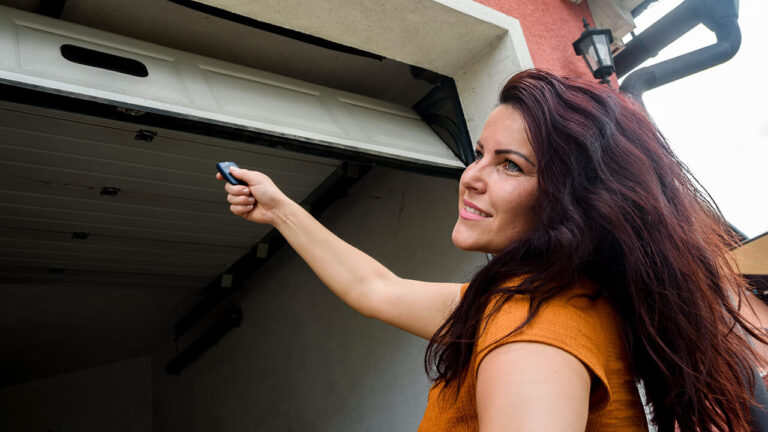
Most people assume pairing a garage door remote is as simple as pressing a button and moving on. And sometimes, it is. But if you’ve ever stood in your driveway at 11 PM, clicking a remote that refuses to cooperate, you know the frustration runs deeper. We’ve seen this play out hundreds of times in Atlanta—new homeowners, rental tenants, even folks who just bought a universal remote from a big-box store and expected it to work out of the box. It rarely does without a few hiccups.
The truth is, connecting a garage door opener to a remote isn’t hard once you understand what’s actually happening under the hood. But there are a few common mistakes that turn a five-minute job into a headache. Let’s walk through it the way we’ve learned over the years—by doing it, failing at it, and figuring out the shortcuts that actually work.
Key Takeaways
- Most modern openers use either dip switches, rolling code technology, or smart learning buttons. Knowing which one you have saves time.
- The most common failure point is not clearing the opener’s memory before pairing a new remote.
- Universal remotes work with most brands, but you must verify compatibility with your opener’s frequency (usually 315MHz or 390MHz).
- If your remote works intermittently, the issue is often signal interference or a dying battery—not a broken opener.
- When all else fails, a professional garage door repair technician can diagnose hidden issues like a faulty logic board or damaged antenna.
Table of Contents
The Three Types of Openers You’ll Actually Encounter
We’ve worked on everything from a 1980s Sears chain-drive unit that sounded like a freight train to the latest smart openers with Wi-Fi. But when it comes to remotes, they all fall into three categories. If you don’t know which one you’re dealing with, you’re guessing.
Dip Switch Systems (Old School, Still Around)
These are the ones with a small panel of tiny switches inside the remote and on the opener motor unit. You set them to match exactly—up, down, up, down, like some kind of binary code. They’re simple but insecure. Anyone with the same brand opener can technically open your door if they happen to match the pattern. We still see these in older Atlanta neighborhoods like Virginia-Highland or Grant Park, where the original openers were never upgraded.
The trick here is patience. Those dip switches are small, and if you’re over 40, you’ll want good lighting and maybe a pair of tweezers. Set the remote first, then match the opener. Test it. If it doesn’t work, one of the switches is off by a hair.
Rolling Code / Security+ Openers (Most Common Today)
Starting in the mid-1990s, manufacturers like Chamberlain, LiftMaster, and Genie switched to rolling code technology. Every time you press the remote, it sends a new code from a long list of possible codes. The opener recognizes the next one in sequence. This prevents code grabbing—someone can’t just record your signal and replay it to break in.
The downside? Pairing a new remote requires a specific sequence. Usually, you press a “Learn” button on the opener (often purple, yellow, red, or orange), then press the remote button within 30 seconds. But here’s where people mess up: if the opener’s memory is full of old remotes or keypads, it won’t accept a new one. You have to clear the memory first by holding the Learn button for 6–10 seconds until the LED goes out. Then start fresh.
We’ve had customers tell us “the remote just won’t sync” and it turned out they had 12 old remotes still programmed. The opener has a limit—usually around 40 to 60 devices. Clear it, and suddenly the new remote works.
Smart Openers with Wi-Fi (The New Normal)
These are the ones that connect to your home network and work with apps like myQ or Aladdin Connect. Pairing the remote itself is usually the same as rolling code, but you also need to connect the opener to your Wi-Fi. That’s where things get dicey. If your router is in the basement and the garage is detached, signal strength becomes a real problem. We’ve run CAT5 cables through attics in Buckhead just to get a stable connection for a smart opener.
For the remote part, though, the process is identical to rolling code. The Wi-Fi is separate.
Why Your Remote Won’t Pair (And It’s Not What You Think)
We hear this complaint more than any other: “I followed the instructions, but it still doesn’t work.” Nine times out of ten, the issue is something simple that the manual doesn’t mention.
Battery orientation. Sounds silly, but we’ve opened remotes where the battery was installed upside down by the previous owner. The remote still lights up, but the signal is weak or intermittent. Check the polarity.
Old remotes still in memory. As mentioned, the opener’s memory fills up. If you bought a house and the previous owner left three remotes behind, those are still programmed. Clear the memory before adding yours.
Frequency mismatch. Universal remotes are great, but they must match your opener’s frequency. Most North American openers use 315MHz or 390MHz. Some older units use 300MHz or 310MHz. If you buy a universal remote that only supports 315MHz and your opener is 390MHz, it won’t work. Check the label on the motor unit.
Antenna placement. The opener has a small antenna wire hanging down. If it’s tucked up against the metal housing or wrapped around a screw, the signal range drops dramatically. Straighten it out and let it hang free. We’ve fixed “broken” openers just by doing this.
LED light bulbs. This one surprises people. Some energy-efficient LED bulbs in the opener’s light socket can interfere with the radio frequency. If your remote works only when the light is off, swap the bulb for a standard incandescent or a garage-door-rated LED.
Step-by-Step: How to Pair a Remote the Right Way
We’ll keep this practical. No fluff.
Step 1: Identify Your Opener
Look at the motor unit. Find the brand, model number, and the color of the Learn button (if present). Write it down. If you have a dip switch system, locate the panel.
Step 2: Clear the Memory
For rolling code openers, press and hold the Learn button for 6–10 seconds until the LED turns off. This erases all programmed remotes and keypads. You’ll need to reprogram everything afterward, but it’s worth it for a clean slate.
For dip switch systems, just set the switches to match.
Step 3: Program the Remote
Press the Learn button once (don’t hold it). The LED will turn on solid. Within 30 seconds, press the button on your remote once or twice. The opener lights should flash, or you’ll hear a click. Test it.
Step 4: Test Range
Stand about 20 feet away and press the remote. If it works, great. If not, check the antenna and battery. If the range is poor, consider moving the antenna or installing a signal repeater.
Common Mistakes That Cost Time and Money
We’ve seen homeowners drill holes in their garage walls trying to mount a new sensor when the real problem was a dead remote battery. Here are the ones we see most often.
Not reading the manual. We know, nobody reads manuals. But garage door openers are not all the same. A LiftMaster Learn button sequence is different from a Genie. Spend two minutes with the manual.
Buying the cheapest universal remote. Some $10 remotes work fine. Others are junk. We’ve tested dozens. The better ones—like those from Chamberlain or Genie—cost around $20–$30 and include a compatibility list. Spend the extra few bucks.
Assuming the opener is broken. Before you call for garage door repair in Atlanta, try the simple stuff. Replace the battery. Clear the memory. Check the antenna. We’ve had customers schedule a service call only to cancel after we talked them through a battery swap over the phone.
When a Universal Remote Makes Sense (And When It Doesn’t)
Universal remotes are a solid option if you have multiple brands of openers or want to consolidate three remotes into one. But they’re not perfect.
They work well if: your opener is a common brand (Chamberlain, LiftMaster, Genie, Craftsman) and you buy a remote that explicitly lists your model. They also work for most rolling code systems, as long as the frequency matches.
They fail when: you have an obscure brand like Sommer or Marantec, or an older model that uses a proprietary protocol. Some European openers operate on different frequencies entirely. In those cases, stick with the manufacturer’s remote.
Trade-off: Universal remotes often have fewer buttons and less range than the original. You might lose features like the ability to turn on the opener light separately. For most people, that’s fine. But if you’re picky, get the OEM remote.
Cost Considerations: DIY vs. Professional Help
Let’s be honest about money. A new remote costs between $15 and $40. Programming it yourself takes about 10 minutes. That’s the easy part.
But if you’ve tried everything and it still won’t work, the problem might be deeper. Here’s a rough table of what you’re looking at:
| Scenario | DIY Cost | Professional Cost | Notes |
|---|---|---|---|
| Dead battery | $3–$5 | $50–$100 service call | Always try this first. |
| New remote (compatible) | $15–$40 | $50–$100 + remote cost | Programming is included in service call. |
| New remote (universal) | $10–$30 | Same as above | Universal may not work with all openers. |
| Faulty logic board | N/A | $150–$300 | Requires opener disassembly and soldering. |
| Entire opener replacement | $200–$600 | $400–$800 installed | If the opener is 15+ years old, replacement is often cheaper than repairs. |
When to call a pro: If you’ve cleared the memory, replaced the battery, checked the antenna, and the remote still won’t pair, the issue is likely internal. A technician can test the receiver board with a multimeter and confirm whether it’s dead. We’ve seen cases where a power surge fried the receiver but left the motor functional. That’s not a DIY fix.
Real-World Scenarios from Atlanta
Atlanta’s climate adds its own wrinkles. Humidity and heat can corrode the contacts inside remote batteries faster than in drier climates. We’ve replaced remotes that looked fine but had green corrosion on the terminals. Also, older homes in areas like Inman Park or Decatur often have detached garages with brick construction, which can block signals. In those cases, we sometimes install an external antenna kit that mounts outside the garage.
One customer in Smyrna had a remote that worked perfectly in the morning but stopped every afternoon. Turned out the afternoon sun hit the garage door sensor directly, causing a false obstruction signal. The remote wasn’t the problem—it was the safety sensors. A simple repositioning of the sensors fixed it.
Alternatives You Might Not Have Considered
If you’re tired of fumbling with remotes, there are other options.
Keypad entry. A wireless keypad mounted outside the garage door lets you enter a code to open it. These are great for families with multiple drivers. They pair the same way as a remote.
Smartphone control. If your opener is compatible with a smart hub, you can open and close the door from your phone. Some systems also send alerts when the door opens. This is handy if you’re always wondering whether you left the garage open.
Home automation integration. Systems like Alexa or Google Assistant can be linked to smart openers. Voice commands work, but we’ve found they’re more of a novelty than a necessity. The real value is in scheduling and alerts.
Hardwired wall switch. Sometimes the simplest solution is a wall-mounted button inside the garage. If your remote keeps failing, a wall switch never loses battery.
When the Advice Might Not Apply
If you have a commercial-grade opener or a custom installation, the pairing process can be different. Some high-security openers require a technician to program them with a special tool. Also, if your opener is more than 20 years old, replacement parts may be hard to find. In those cases, we usually recommend upgrading the entire unit. The safety features alone—like auto-reverse and photoelectric sensors—are worth the investment.
And if you’re renting, don’t modify the opener without the landlord’s permission. We’ve seen tenants buy universal remotes that ended up being incompatible, and then they had to pay for a service call to fix it.
Final Thoughts
Connecting a garage door opener to a remote is one of those tasks that looks trivial until it isn’t. The good news is that most issues have simple fixes. Clear the memory, check the battery, verify the frequency, and straighten the antenna. If that doesn’t work, the problem is likely deeper than a remote issue.
We’ve done this long enough to know that sometimes the smartest move is to call someone who’s seen it all before. If you’re in Atlanta and you’ve tried everything, Atlanta Garage Doors can help. We’ve worked on every brand, every type of opener, and every weird problem Atlanta’s weather and old houses can throw at us. Sometimes it’s a five-minute fix. Sometimes it’s a new opener. Either way, you’ll have a working remote and a door that opens when you press the button.
That’s the goal, right?


